

UI (User Interface) is a term that takes into account a wide range of factors involved in human-machine interaction and the . It includes controls for a vast number of products from tools to web sites to tv menus and so much in between. As a web designer, I am constantly aware of this term and consider ways to make the UI experience with the web sites I create as pleasant and well thought out as possible. As with any medium these days, websites are a quickly changing and an ever evolving form of communication. Consideration of the wide range of devises we currently view websites with expands the UI considerations even farther.
While considering the User Interface concerns in the digital media I’ve created over the past 15+ years, it has recently occurred to me that I’ve been building tools to enhance the UI experience into some of the printed material I’ve created as well.
Four years ago I began working with a client in the Golf Industry, Tom Wishon Golf Technology. I was brought in to create their 100 page catalog. Having a strong background in UI and interactive media, one of the first things I thought about was how to create navigation tools that made it easier for a club-fitter with the catalog sitting on his work bench able to quickly find content. I began integrating a colored border on every page that identified the section of the catalog you were looking at (in the case of Wishon Golf the sections consisted of Drivers/Irons/Sets/Wedges & Putters/Shafts/Accessories). This color coded section idea has now become a standard in the catalogs since that time and has received many compliments from the Wishon Golf clients.
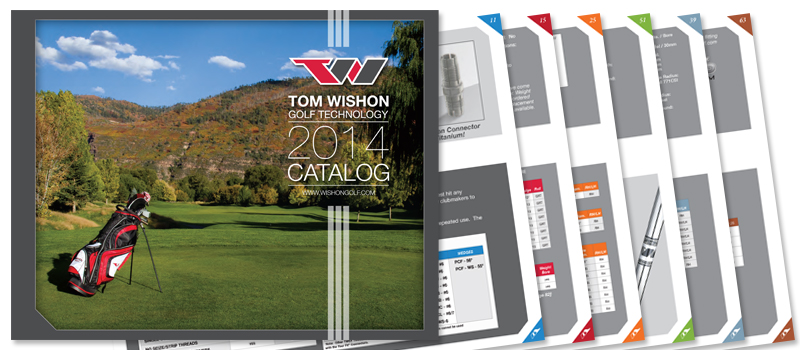
Color coded sections in print design certainly isn’t an original idea, but it was a new idea for Wishon Golf and has been a big success in their yearly catalog.